 BlurPoint
Find it, cover it, export a clean file
One job, done in three steps. Nothing leaves the device at any of them.
-
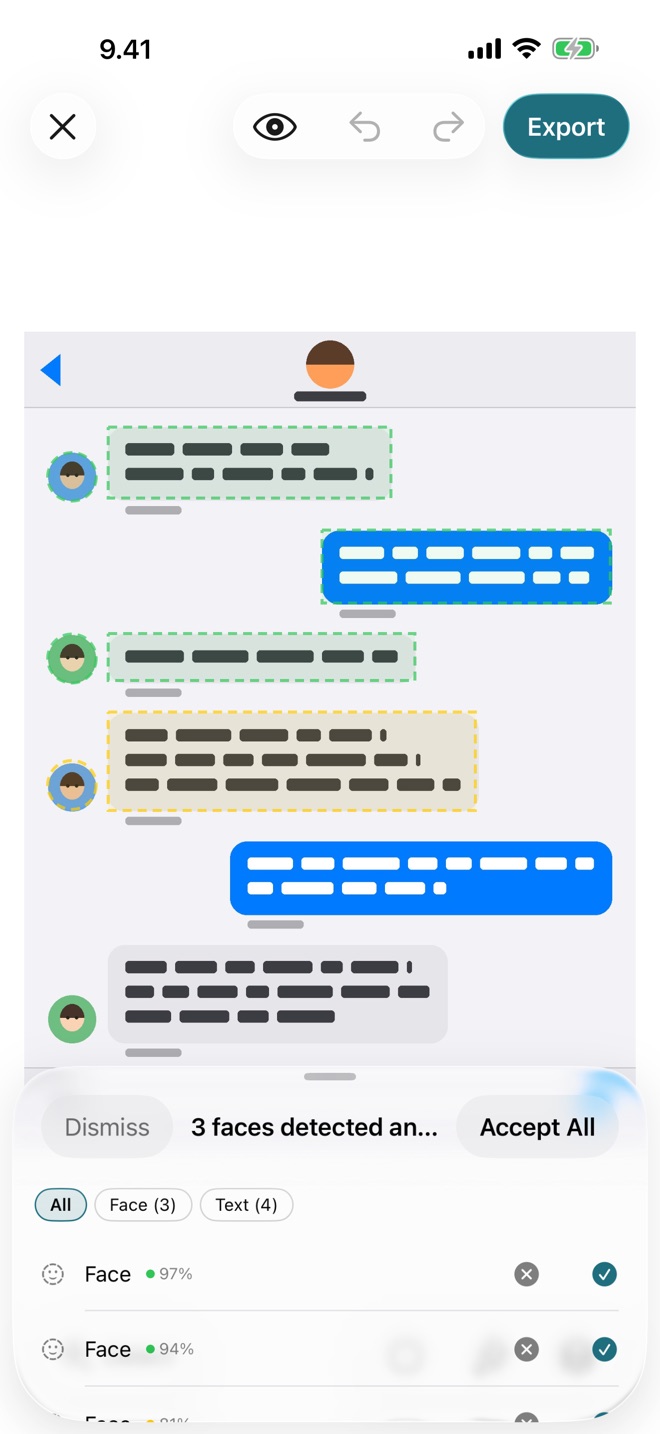
Find what identifies someone Pro
Detection lists every face, text block, QR code and barcode in the photo, numbered to match its outline. Accept each suggestion or all of them. Drawing a region by hand is always free.
-
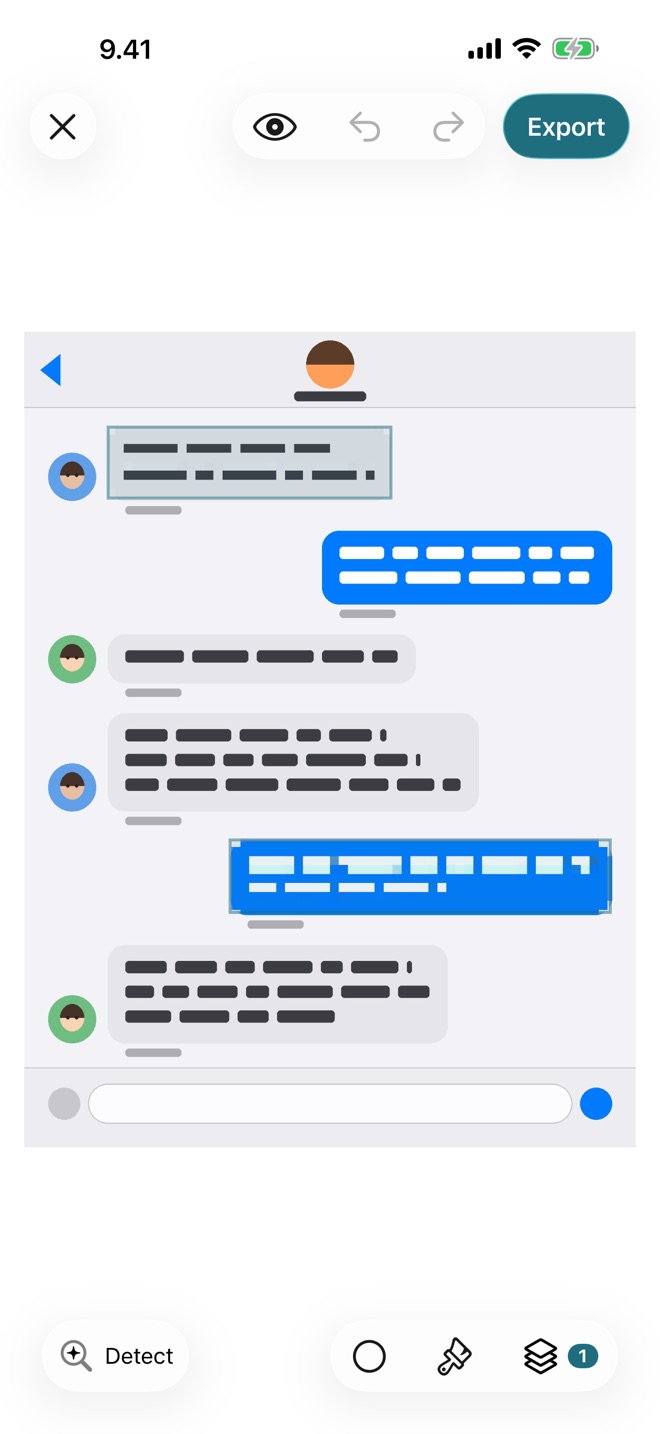
Cover it
Blur, pixelate or block it out, with a soft or a hard edge. Every mask stays editable and undoable until you export.
-
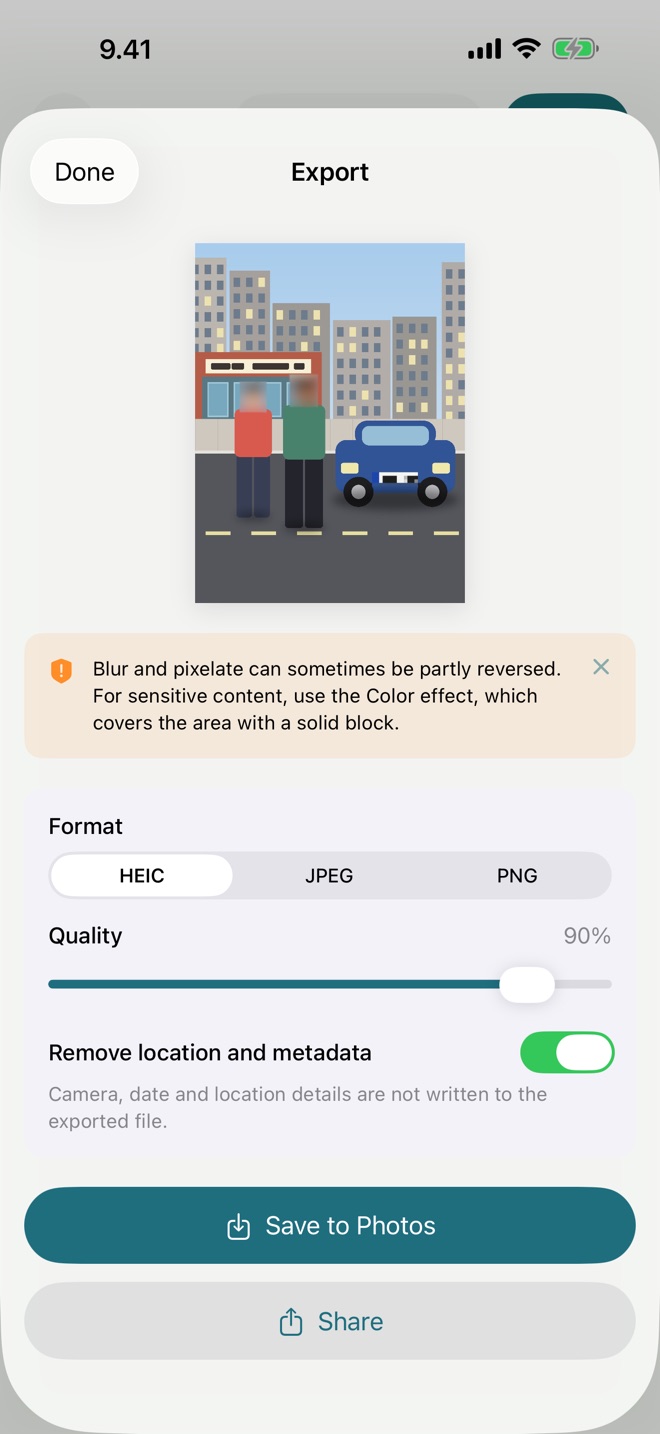
Export a clean file
HEIC, JPEG or PNG at full resolution, HDR kept. Save it, share it or copy it straight into a chat. Camera, date and location details are removed unless you choose to keep them.
Built for redaction, not retouching
Every region stays a mask you can move, resize, lock or undo, right up to export.
-
Masks that work like layers Pro
Every face, shape and brushed area is a mask of its own, with its own style. Reveal keeps part of a redacted area sharp: blur the whole background, then reveal your own face.
-
Precise shapes with soft edges
Circle, rectangle and freeform regions, feathered edges and adjustable intensity. All free.
-
Crop it out for good
Drag the frame, pick a ratio such as Square or 16:9, rotate a quarter turn or flip, as in Photos. The exported file holds no pixels from outside the crop, so what you cut off cannot be recovered. Free.
-
QR codes and barcodes Pro
Boarding passes, tickets, parcel labels and Wi-Fi codes still scan after you cover the printed name. Detect Codes finds them, even photographed at an angle, and Block covers them completely.
-
Keep one person sharp Pro
Detect People separates up to four people. Tap Keep Sharp on one and everyone else gets a mask of their own.
-
Ten effects
Gaussian, Box, Motion and Zoom blur. Pixelate, Crystallize, Hex and Pointillize. Block and Noise Pattern for anything that must not be recoverable.
-
Redact from any app
Share a photo or screenshot to BlurPoint from any app, then open BlurPoint to redact it at full resolution with every tool.
-
Made for the road
Nothing is uploaded, so nothing depends on signal. Clear the faces out of a holiday photo on the plane, on hotel wifi or on expensive roaming.
Free and Pro
The free tier finishes a real job. Pro sells speed and precision, not the removal of artificial limits.
Free
Everything you need to redact a photo
- Circle, rectangle and freeform regions, no limit
- Crop, rotate and flip, with aspect ratios
- Gaussian blur and Pixelate, any intensity
- Soft edges, background blur, 50 undo steps
- Unlimited full-resolution exports, no watermark
Pro
Speed and precision on top
- Face, text, QR code and barcode detection
- Keep one person sharp and blur everyone else
- Block, which covers an area completely, and seven more styles
- Brush, linear and radial gradient tools
- Reveal: keep part of a redacted area sharp
Monthly or annual, priced in the App Store. Annual starts with a 7-day free trial.
No export counter, no watermark, no ads.
Questions
Anything else goes to blurpoint@koud.fi, answered within two working days.
Do my photos get uploaded anywhere?
No. BlurPoint makes no network requests. Photos are opened, edited and exported on your device, and detection runs there too.
Is blur safe enough for sensitive content?
Blur and pixelate can sometimes be partly reversed. For anything sensitive use Block, which covers the area completely. The first time you export a blur, the app says how many masks can be partly reversed and offers Use Block to switch them all at once.
What happens to location and other metadata?
Removed by default: camera, date, location and every other EXIF, GPS, TIFF and IPTC block. Blurring a face and leaving the GPS position in the file defeats the point. You can keep it from the export sheet.
Does detection ever miss a face?
Detection looks at a large photo in overlapping sections as well as whole, so it finds small faces in group and crowd photos, and it suggests the head of someone turned away or in profile. People only a few dozen pixels tall, blurry or mostly hidden can still be missed: raise the sensitivity and run it again, or draw the region by hand. Drawing is always free, and you approve every suggestion.
Does cropping really remove what I cut off?
Yes. The exported file holds no pixels from outside the crop, and if you keep the metadata, the details that point into the uncropped frame are removed. Until you export, the crop can be widened again or undone, and masks outside it are kept.
How good is the exported image?
Full resolution, no watermark, no daily limit, free tier included. HDR photos keep their bright highlights as 10-bit HEIC. Photos above 50 megapixels are reduced on import and the app says so.
What do I need to run it?
iOS 18 or later on iPhone or iPad. Pro follows your Apple Account, so Restore Purchases brings it back.
Seven languages, one behaviour
English, Deutsch, Español, Français, Suomi, Svenska, 日本語
Every string is translated, the export warnings included.